
'%3e%3cpath%20d='M24%200C10.7453%200%200%2010.7453%200%2024C0%2035.255%207.74912%2044.6995%2018.2026%2047.2934V31.3344H13.2538V24H18.2026V20.8397C18.2026%2012.671%2021.8995%208.8848%2029.9194%208.8848C31.44%208.8848%2034.0637%209.18336%2035.137%209.48096V16.129C34.5706%2016.0694%2033.5866%2016.0397%2032.3645%2016.0397C28.4294%2016.0397%2026.9088%2017.5306%2026.9088%2021.4061V24H34.7482L33.4013%2031.3344H26.9088V47.8243C38.7926%2046.3891%2048.001%2036.2707%2048.001%2024C48%2010.7453%2037.2547%200%2024%200Z'%20fill='black'/%3e%3c/g%3e%3cdefs%3e%3cclipPath%20id='clip0_1062_940'%3e%3crect%20width='48'%20height='48'%20fill='white'/%3e%3c/clipPath%3e%3c/defs%3e%3c/svg%3e)
'%3e%3cpath%20d='M44.4469%200H3.54375C1.58437%200%200%201.54688%200%203.45938V44.5312C0%2046.4437%201.58437%2048%203.54375%2048H44.4469C46.4062%2048%2048%2046.4438%2048%2044.5406V3.45938C48%201.54688%2046.4062%200%2044.4469%200ZM14.2406%2040.9031H7.11563V17.9906H14.2406V40.9031ZM10.6781%2014.8688C8.39062%2014.8688%206.54375%2013.0219%206.54375%2010.7437C6.54375%208.46562%208.39062%206.61875%2010.6781%206.61875C12.9563%206.61875%2014.8031%208.46562%2014.8031%2010.7437C14.8031%2013.0125%2012.9563%2014.8688%2010.6781%2014.8688ZM40.9031%2040.9031H33.7875V29.7656C33.7875%2027.1125%2033.7406%2023.6906%2030.0844%2023.6906C26.3812%2023.6906%2025.8187%2026.5875%2025.8187%2029.5781V40.9031H18.7125V17.9906H25.5375V21.1219H25.6312C26.5781%2019.3219%2028.9031%2017.4188%2032.3625%2017.4188C39.5719%2017.4188%2040.9031%2022.1625%2040.9031%2028.3313V40.9031Z'%20fill='black'/%3e%3c/g%3e%3cdefs%3e%3cclipPath%20id='clip0_1062_932'%3e%3crect%20width='48'%20height='48'%20fill='white'/%3e%3c/clipPath%3e%3c/defs%3e%3c/svg%3e)
A Better Routeplanner 7.1
Our latest update is supercharged with new charger features

Johan Hellmark
Senior Software Engineer
“Product Owner and first backend engineer for ABRP, scaling the platform from a small team to millions of drivers.”
Charger Details gets a full redesign, Charger Finder gets powerful new filters and photos, your plan's charge stops get smarter map callouts, and a new Live Activity keeps you updated on the lock screen while you charge.
ABRP 7.1 brings a redesigned Charger Details screen, a rebuilt Charger Finder with richer filters and photo cards, smarter charge-stop callouts on the map, and new iOS Live Activities for charging and driving so you can stay oriented without opening the app.
Charger Details
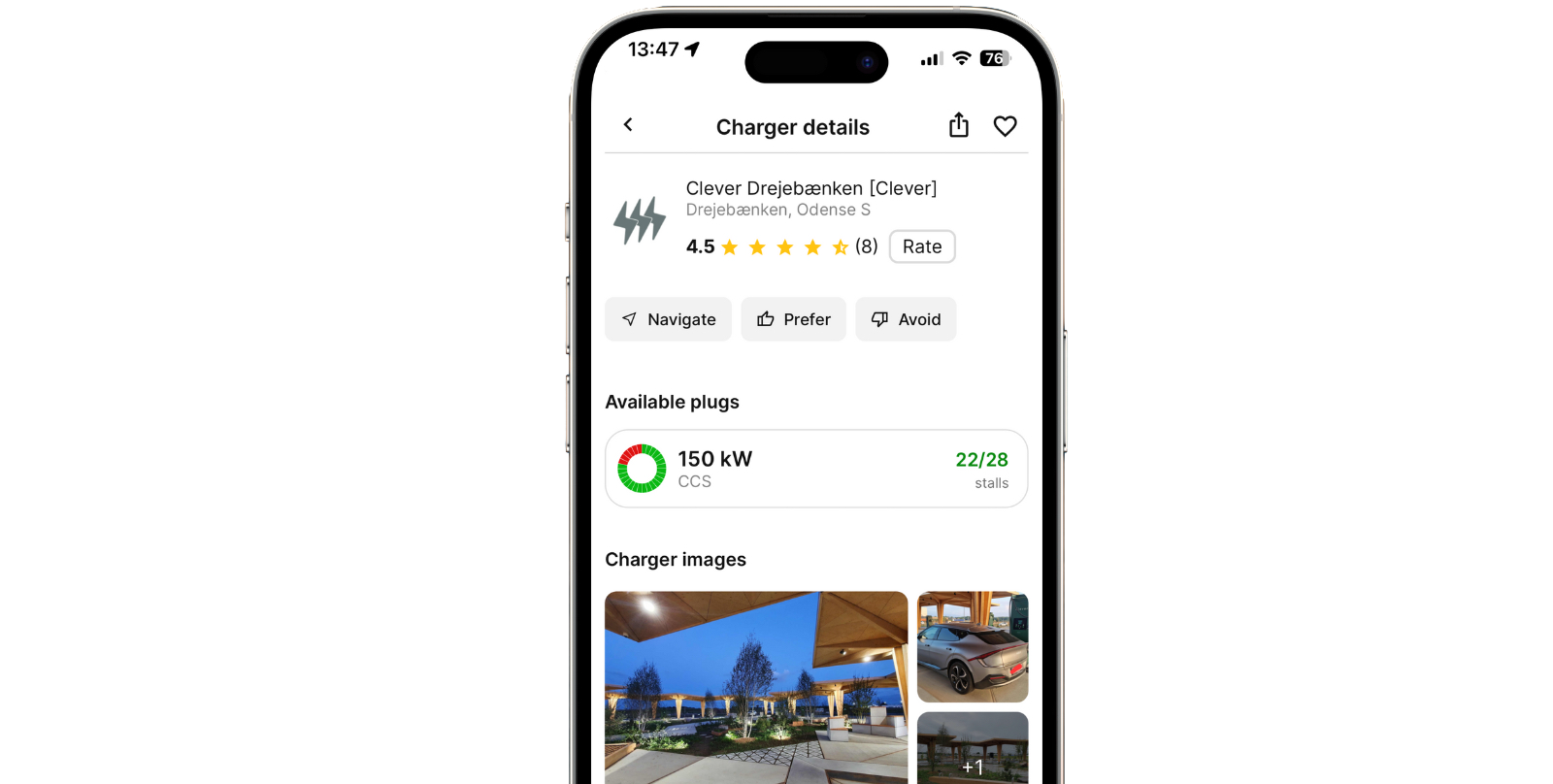
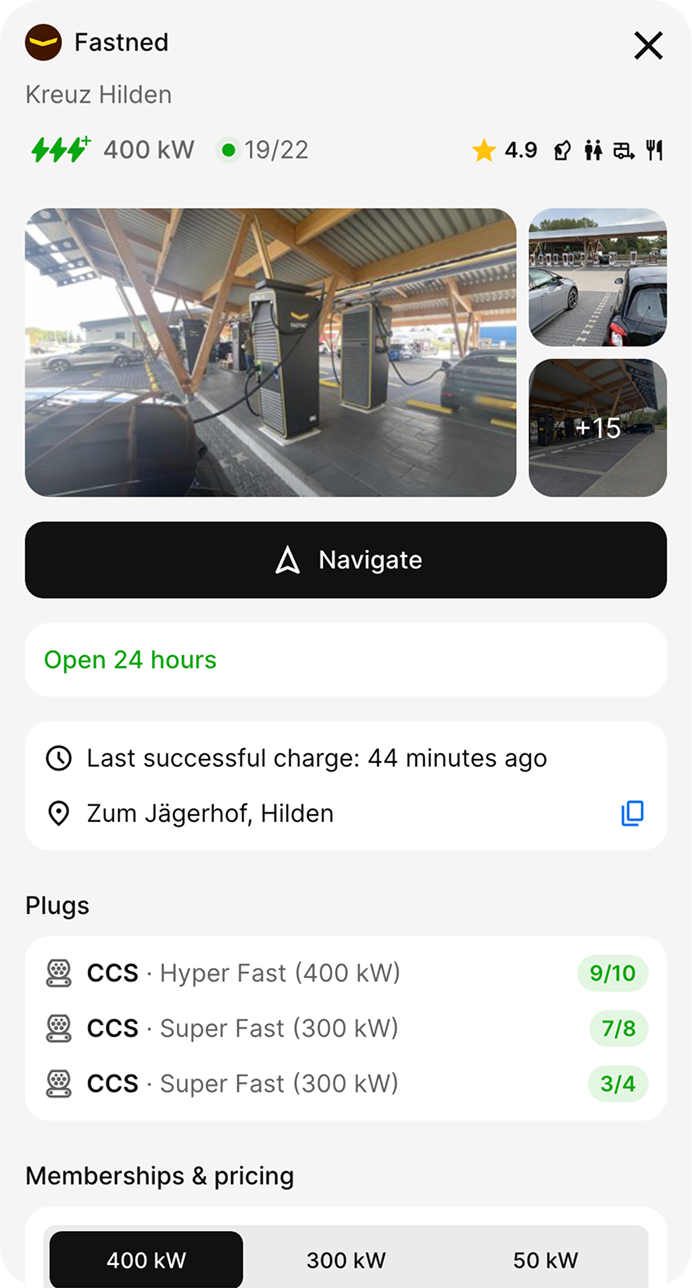
Charger Details is one of the most used features of ABRP, and it just got a complete redesign. The new design is cleaner and faster to scan, with the most important information front and center. Plugs and live availability are at the top so you know immediately whether a stop is worth it. You can also quickly see photos, amenities, and nearby points of interest.
Charger Finder
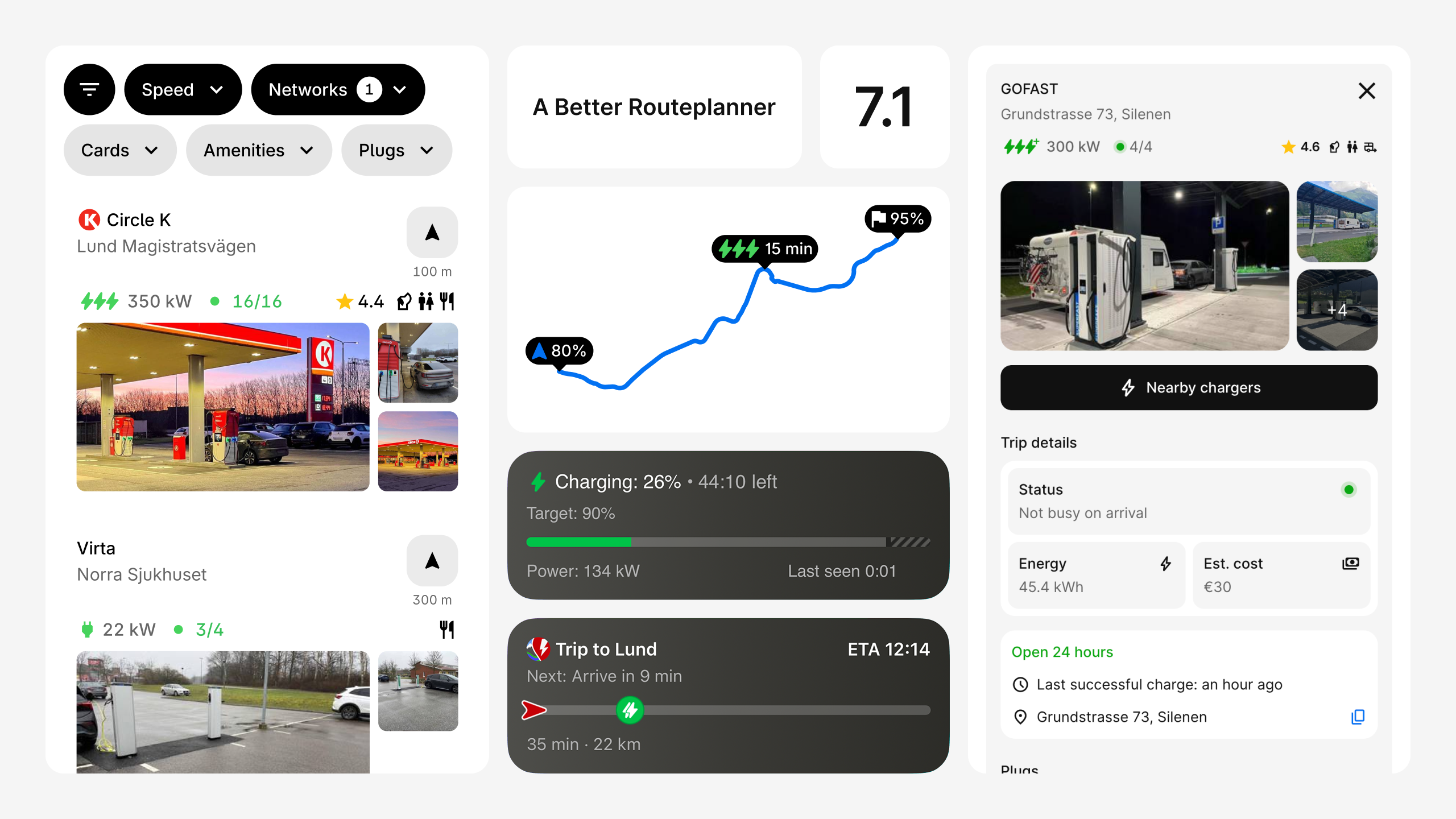
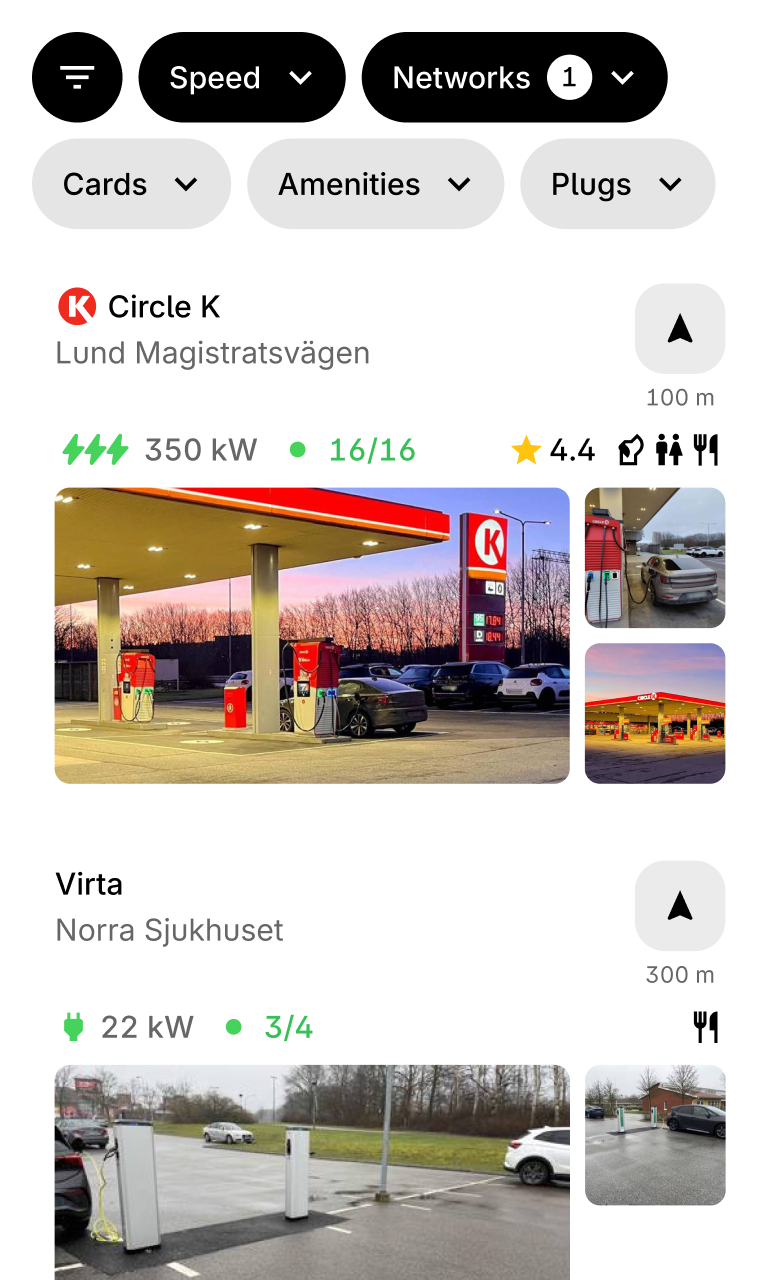
Charger Finder has been rebuilt from the ground up. Filter by speed, network, plug type, charge card, and amenities. Results show as rich cards with real photos, availability, ratings, and amenity icons at a glance. Whether you're looking for a fast charger with a restaurant nearby or filtering down to your preferred network, Charger Finder makes it easy.
Charger Stop Callouts
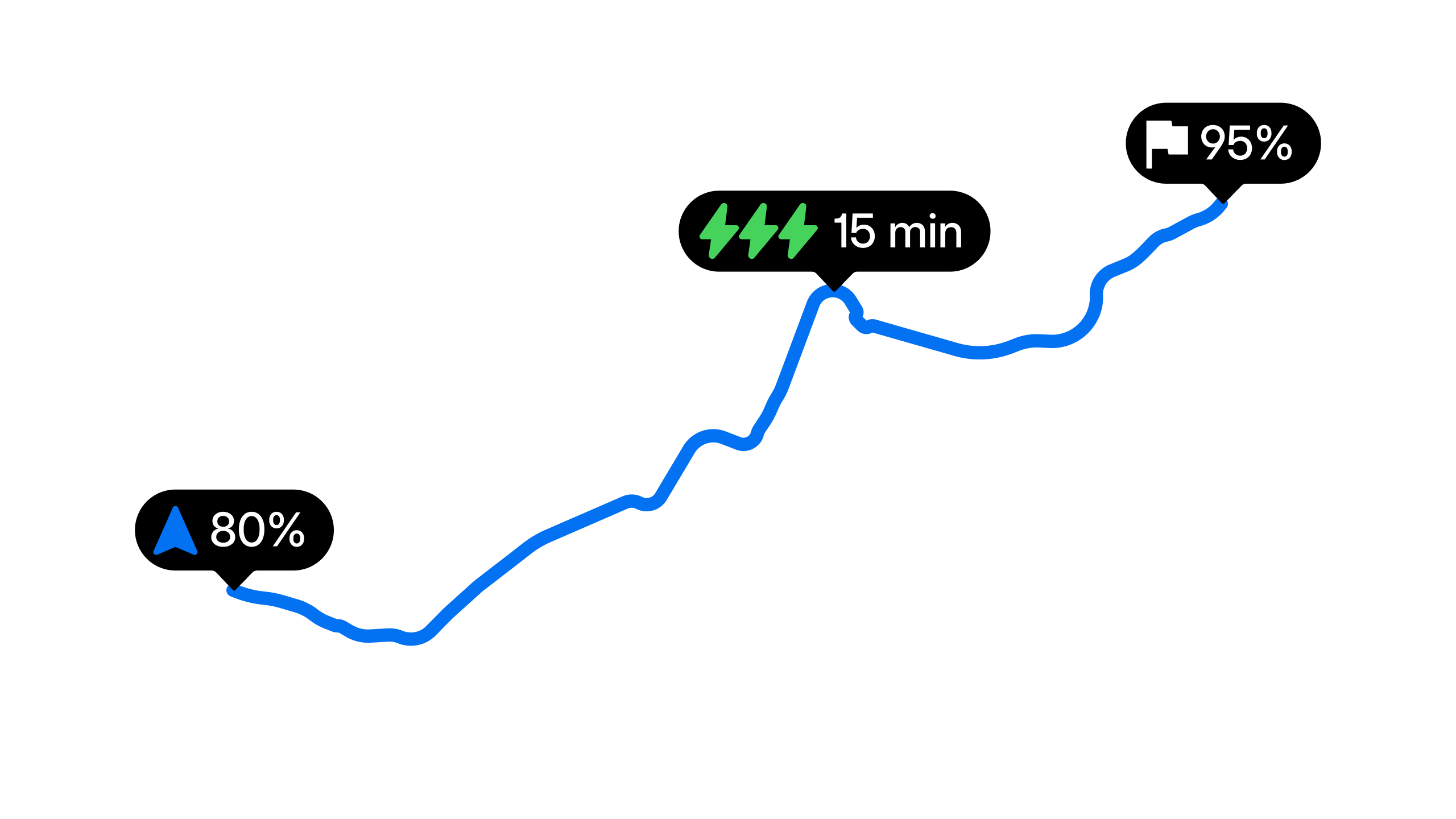
The callouts for charge stops on your plan map now show the network logo, charger speed, and estimated charge time in a compact pill. Improved collision detection means they position themselves intelligently, so your map stays readable even on complex routes.
Live Activities (iOS)
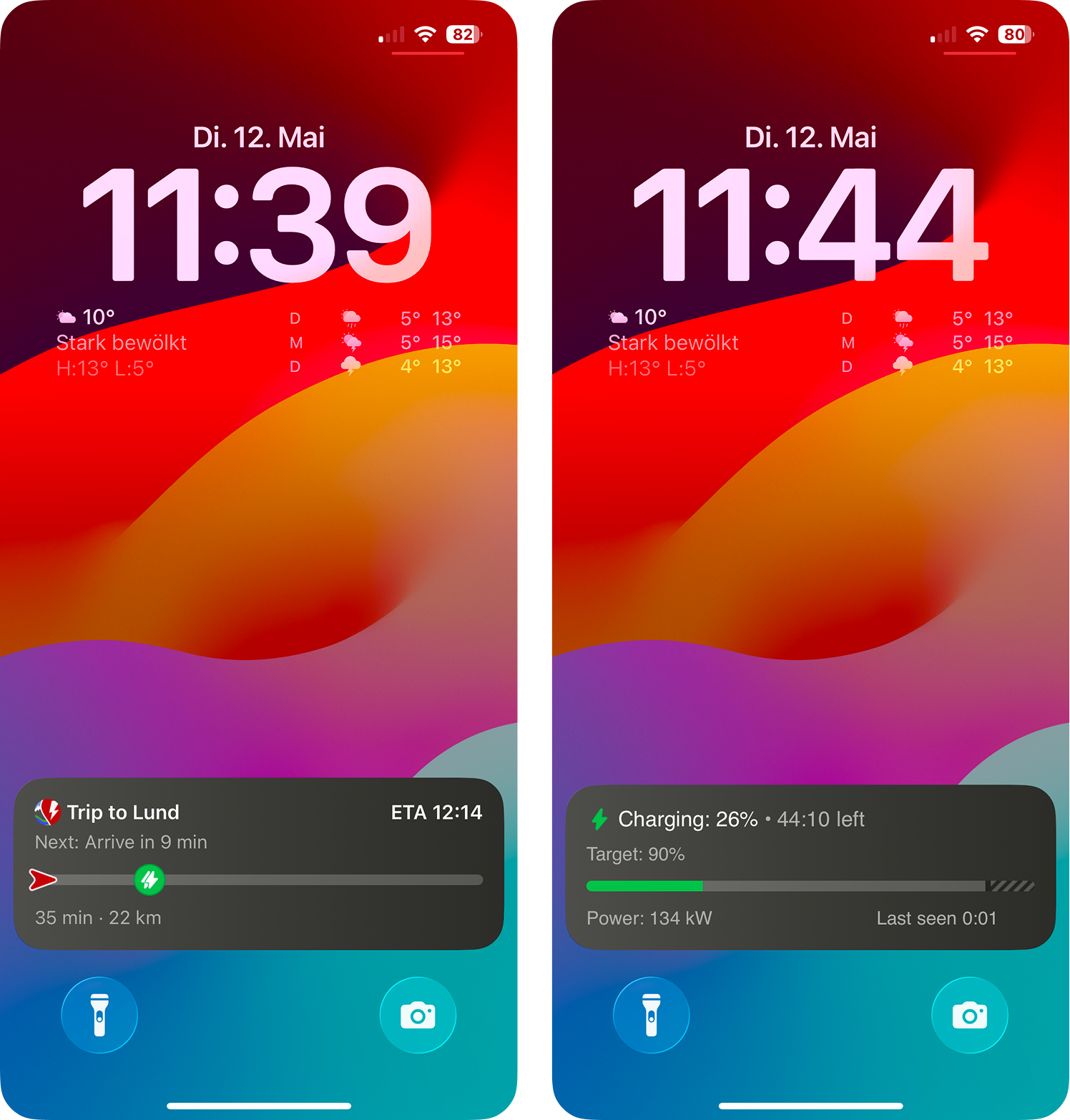
Two new Live Activity widgets keep ABRP on your lock screen without opening the app. While charging, see your current battery level, charge target, and time remaining with a progress bar. While driving you can see your destination, ETA, distance remaining, and a progress bar indicating how far along the route you are.
Download ABRP today