

A Better Routeplanner 8.0
A new map style, a redesigned drive mode and smarter route notifications
Ev rûpel niha tenê bi îngilîzî heye. Wergerên din di nêzîk de tên.

Mattias Kroon
Software Developer
“From the smallest map icon to the grandest drive mode, Mattias works the details with watchmaker precision so every drive feels effortless.”
We are excited to reveal ABRP 8.0, with incredible new features and style improvements!
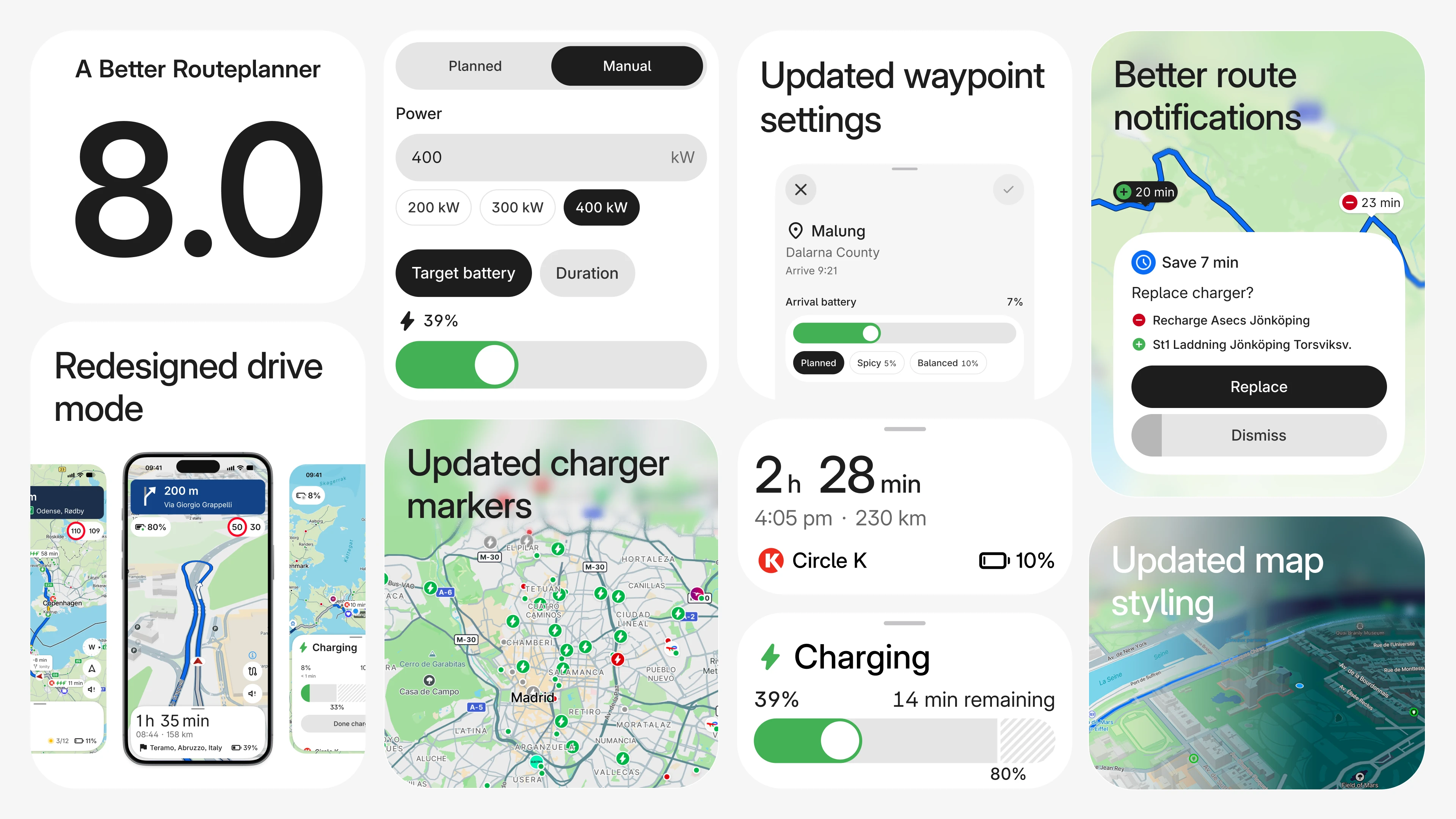
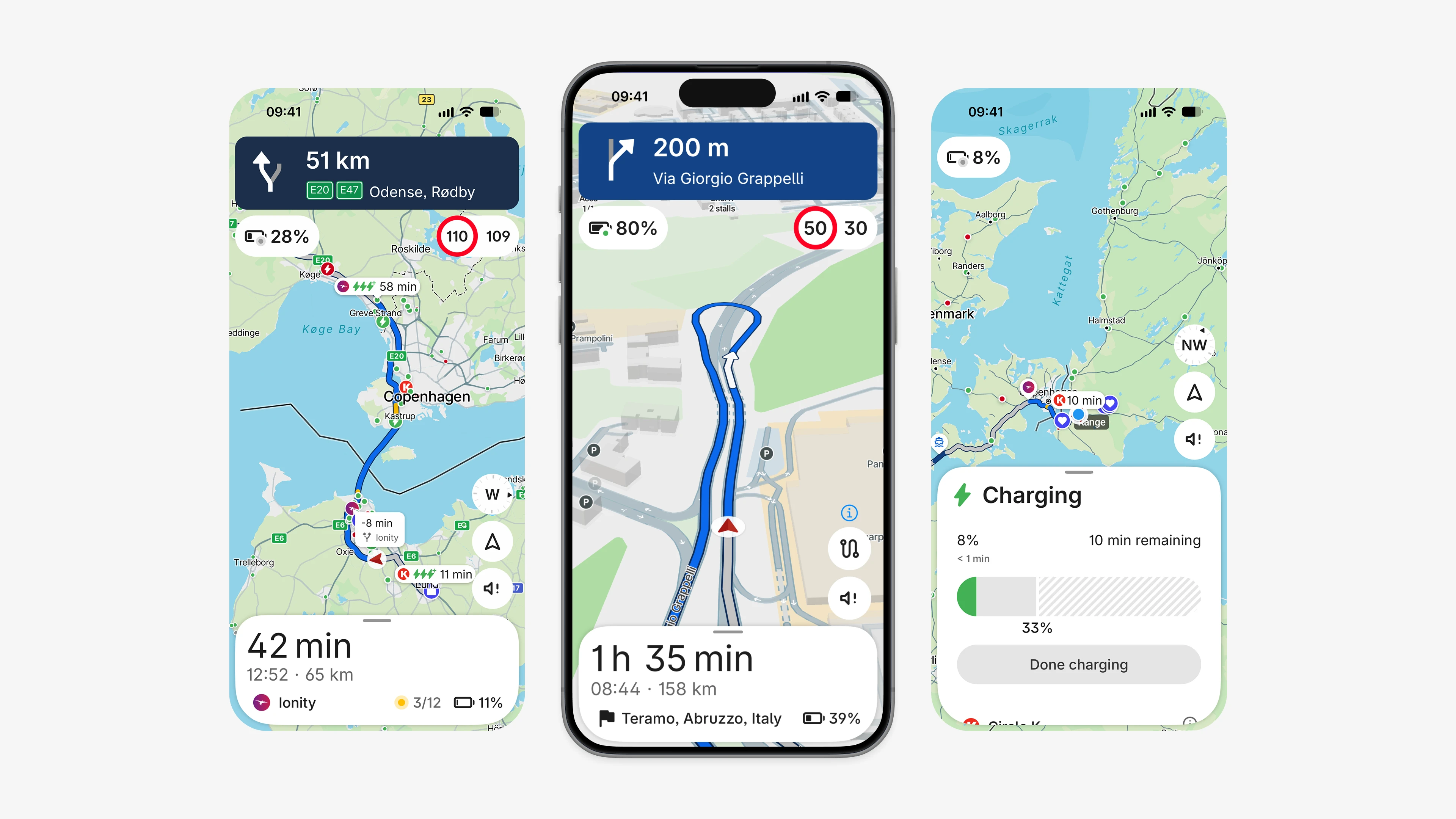
ABRP 8.0 brings a new map style with updated charger markers, a faster rebuilt interface, a calmer drive mode with a new charging view, instant notifications when a faster route or better charger is available, and a new driving panel in CarPlay and Android Auto.
A New Map Style
Easier to Read
Routes stand out clearly in both light and dark mode, so you can follow your plan at a glance.
Updated Charger Markers
Redesigned markers make available chargers quicker to spot.
Clearer Icons
Crisper, consistent icons for turns, charge stops and ferries.
Refreshed Look and Feel
Rebuilt Interface
The app is faster and more responsive from the first tap.
A Fresh Start Screen
An updated home screen, vehicle card and search.
Faster Plans
Plans load faster, and the app runs lighter while you drive.
Redesigned Drive Mode
Calmer and Clearer
Your next stop stays visible at all times, and turn instructions are easier to follow.
New Charging View
Check charger details, or swap to another charger, right from the drive.
Your Sound, Your Way
Choose to hear sound only for alerts, with simpler, improved camera modes.
Better Route Notifications
Instant Updates
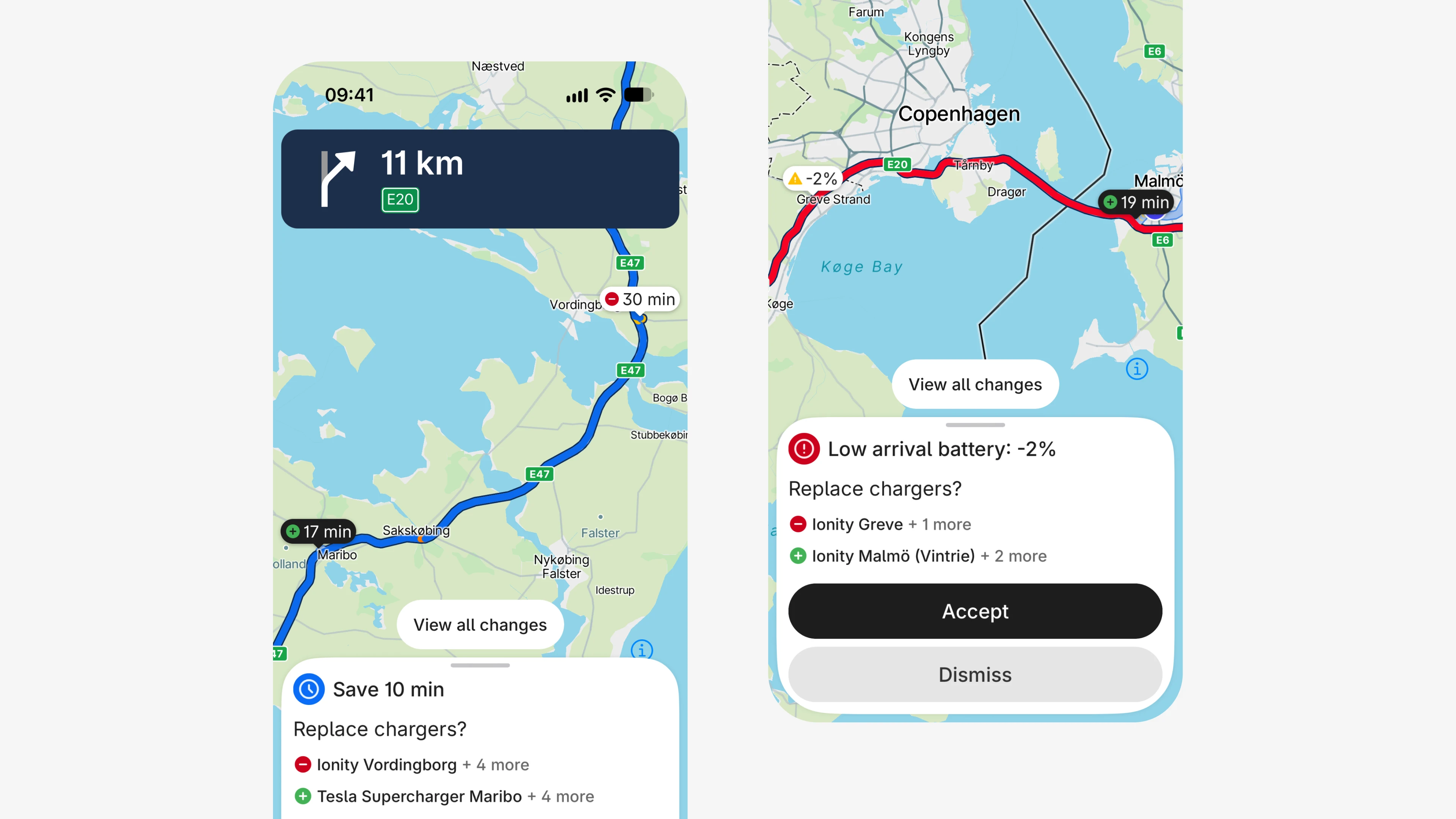
Get notified as soon as a faster route or a better charger is available on your trip.
One Tap to Switch
Accept the new route and keep driving.
Focus on the Road
ABRP keeps checking your route while you drive, so you don't have to.
A fuller picture of your drive
Recommendations are now based on much more than travel time. ABRP weighs your State of Charge (SoC), traffic conditions and charger availability, and can suggest a better route, a better charging stop, or both.
When ABRP finds an improvement worth considering, it does more than send a notification. It briefly switches to a decision screen that explains what you’d gain and zooms the map in on the suggested change. Accept it and your drive continues with the updated plan, or dismiss it and carry on as before.
Fewer interruptions when you’re not interested
If you decline a recommendation, ABRP holds back on similar suggestions for a while, so you’re not bombarded with ideas you’ve already passed on. How long it waits depends on how much there is to gain. Significant or critical improvements may still appear shortly after you’ve dismissed one, while minor ones take longer to come back.
Most suggestions stay on screen for up to 30 seconds before closing on their own. The map then returns to its previous view, which is usually following your car.
CarPlay and Android Auto
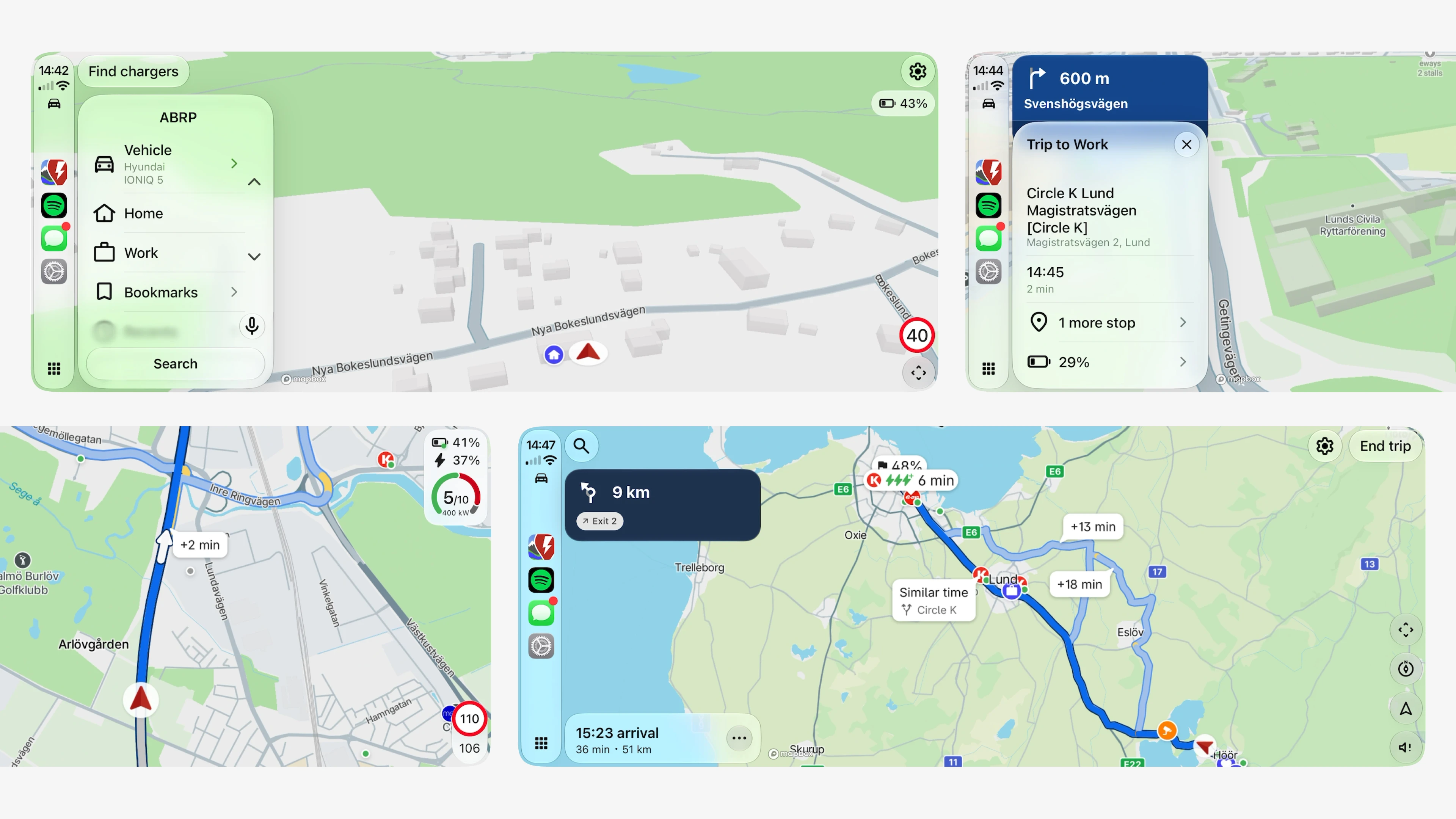
New Driving Panel
ABRP uses the latest CarPlay and Android Auto features to show the map and your route side by side.
Smart Zoom
In free drive, the map zooms with your speed.
Cleaner Overlays
A compact battery and speed display, which you can place on either side of the screen.
Also in This Update
Drag the route line on the map to change its path
See an estimated route as soon as you add a waypoint
Updated design for waypoint options
And much more
ABRP 8.0 is our calmest, fastest version yet. We hope you enjoy it on your next trip.
Download ABRP today